Script Installation
Activate Script
Activate the Tasmota script for your meter model.
Activate Script
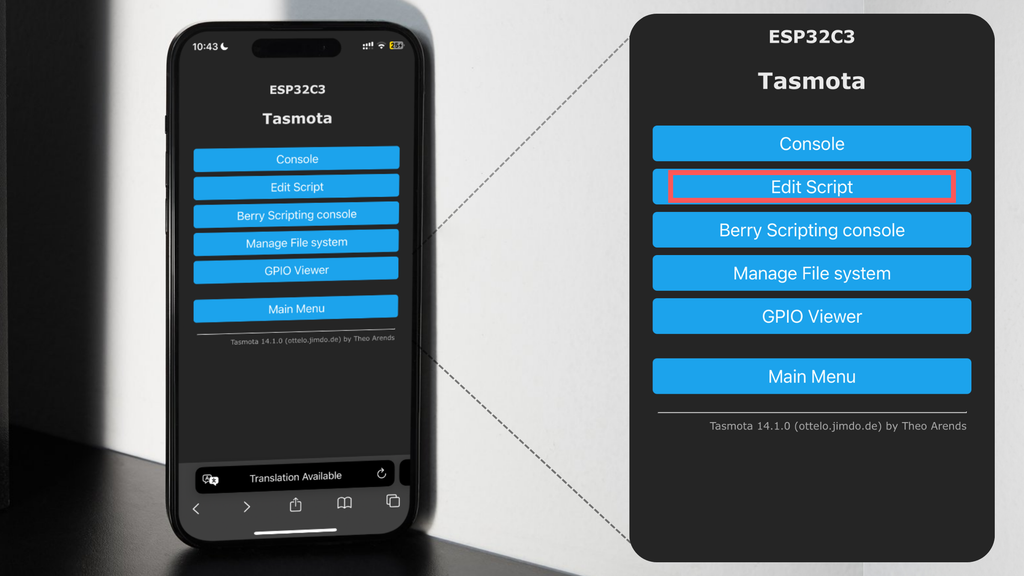
In the Tasmota menu: Tools → Edit Script
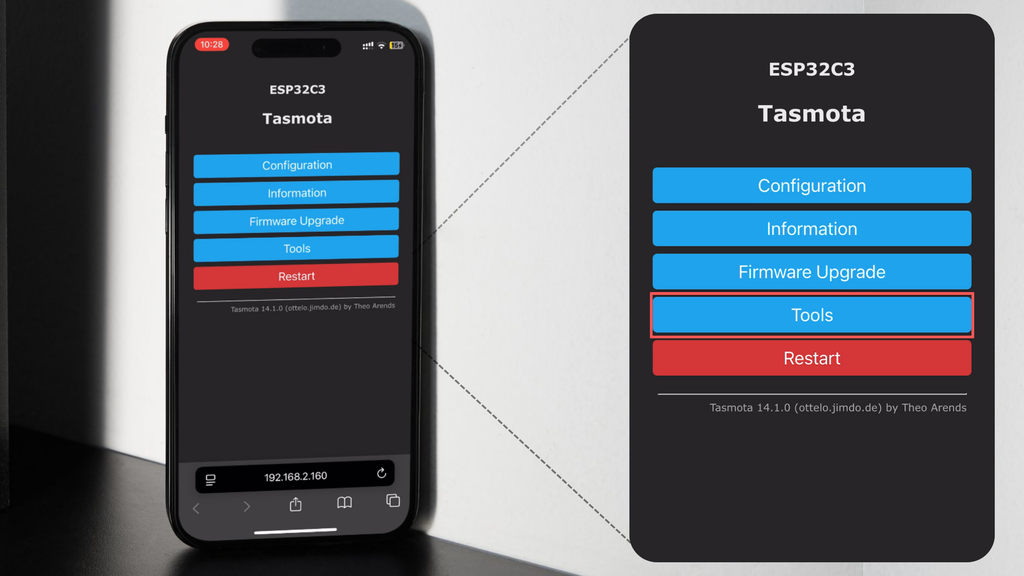
Open Script Editor
Click Edit Script to open the Tasmota Smart Meter Interface.
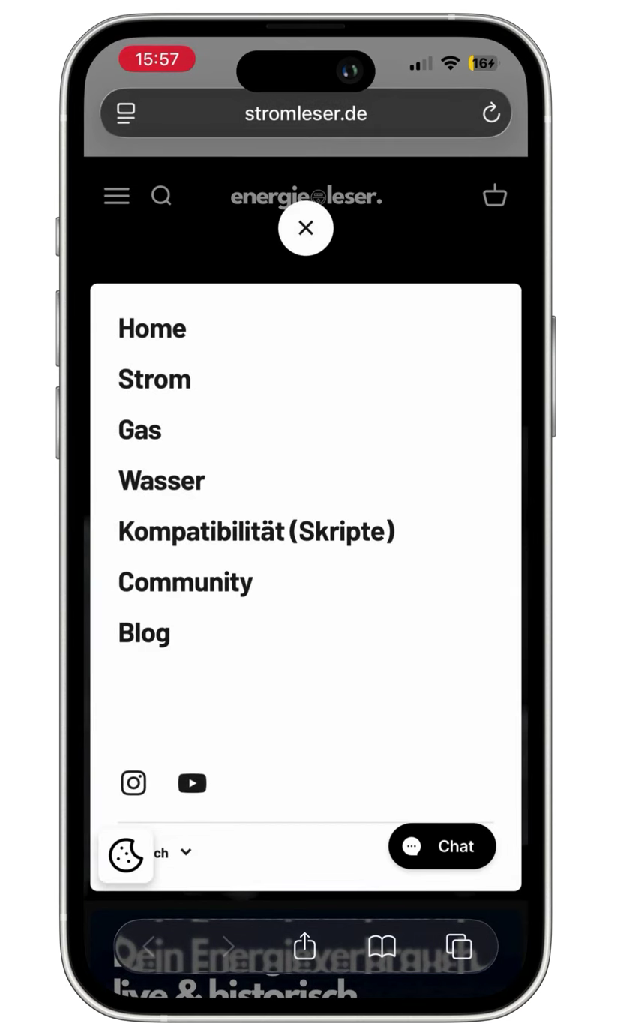
Find Script for Your Meter Model
Find the correct script for your meter model by checking your meter number (recommended: www.energieleser.de/pages/scripts).
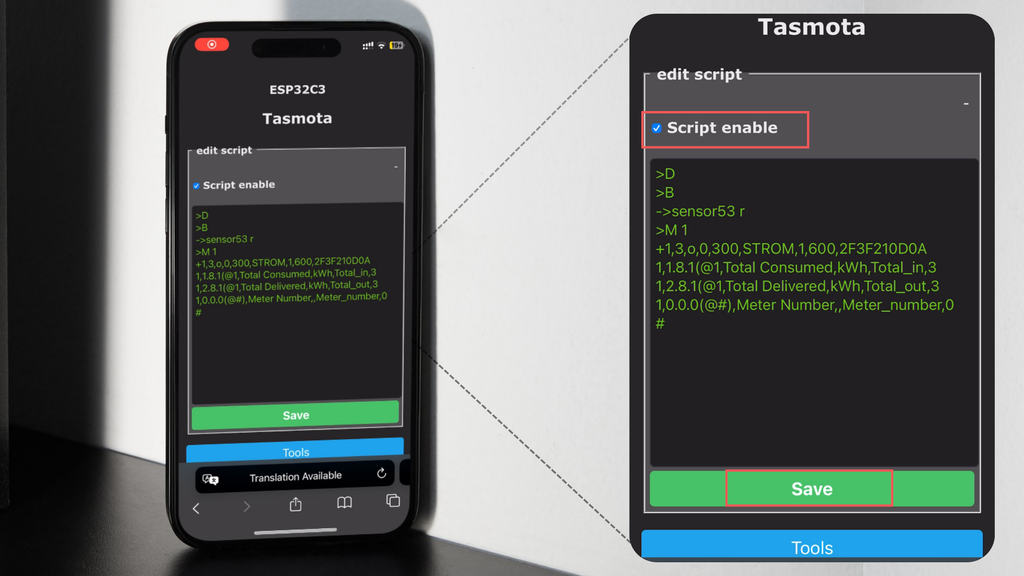
Insert and Activate Script
Copy and paste the script into the editor. Enable "Script Enable" and save.
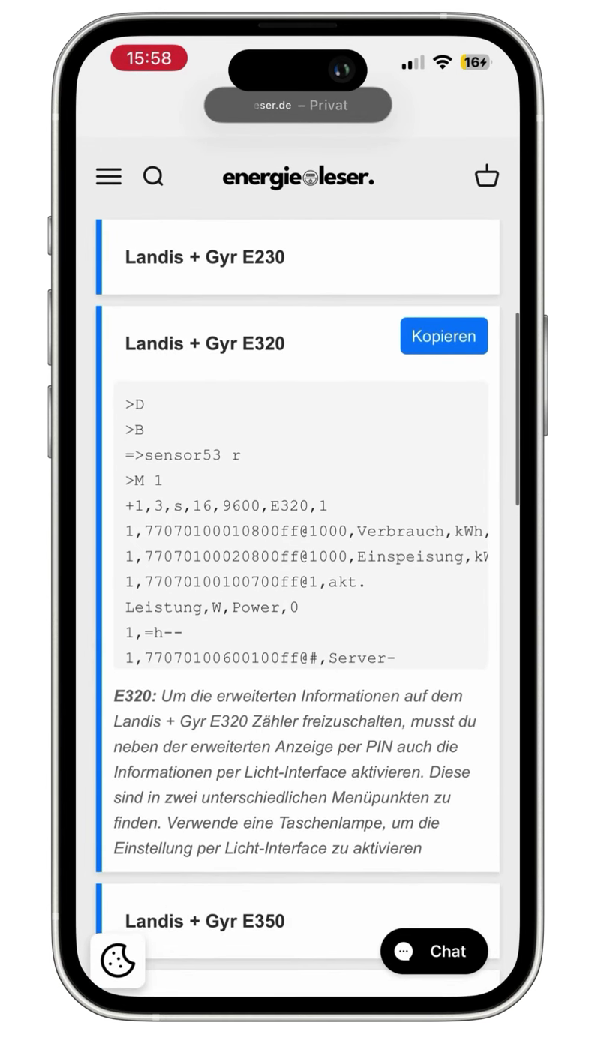
Activate the script by selecting "Script Enable" and save your settings.
Check Values
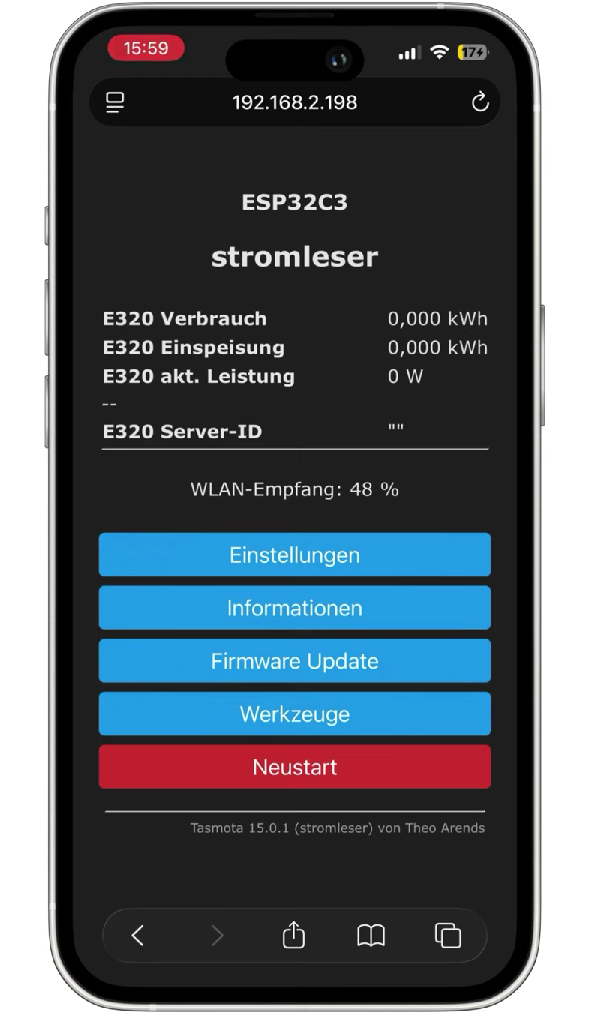
Return to main Tasmota view.
Live meter values should appear after a few seconds.
✅ Setup Complete!
The stromleser.tasmota is now transmitting live readings. Monitor via the Tasmota web interface or Stromleser App.