WiFi Setup
WiFi Connection
Connect the stromleser.tasmota to your home network.
Open WiFi Settings
Open WiFi settings on your smartphone.
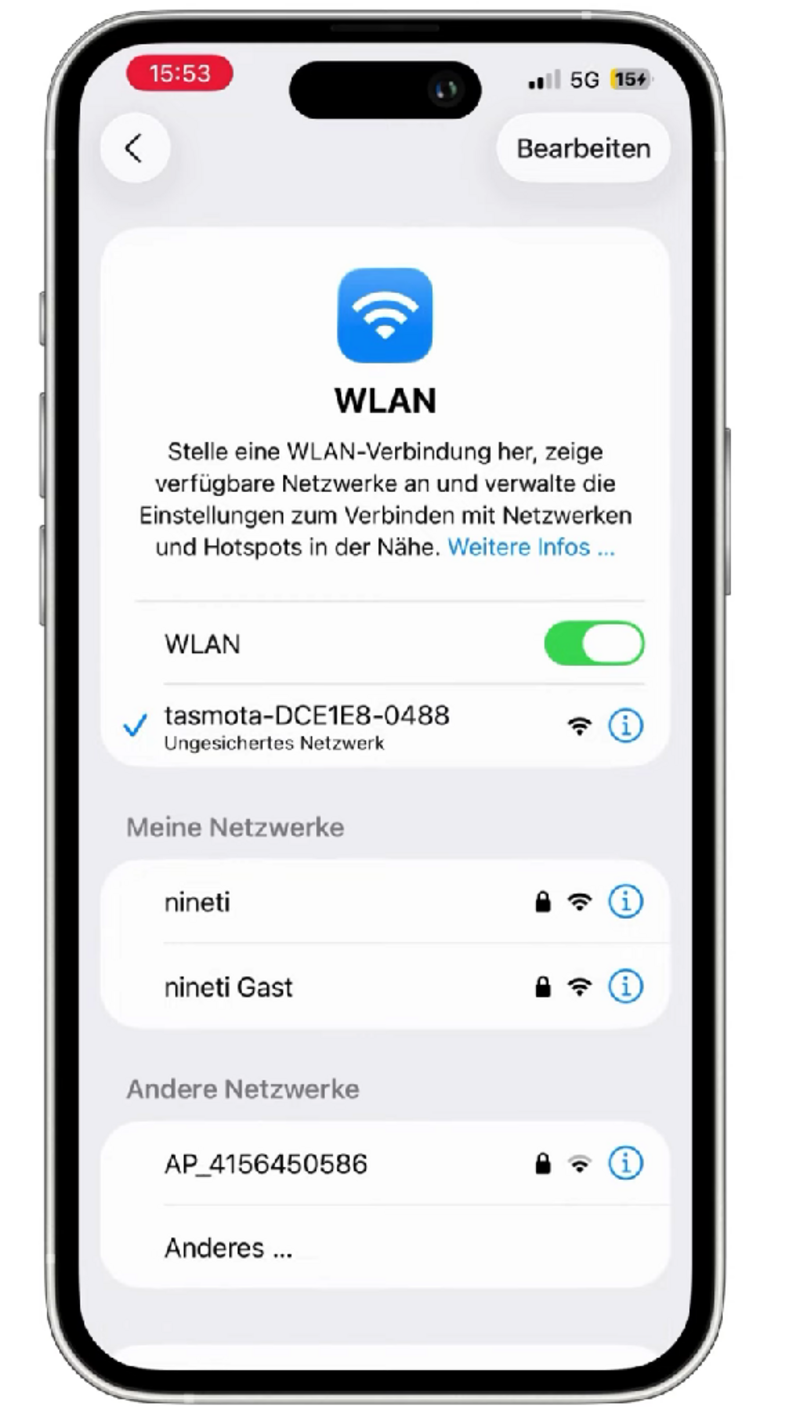
Connect to Tasmota Access Point
Connect to the network tasmota-XXXX.
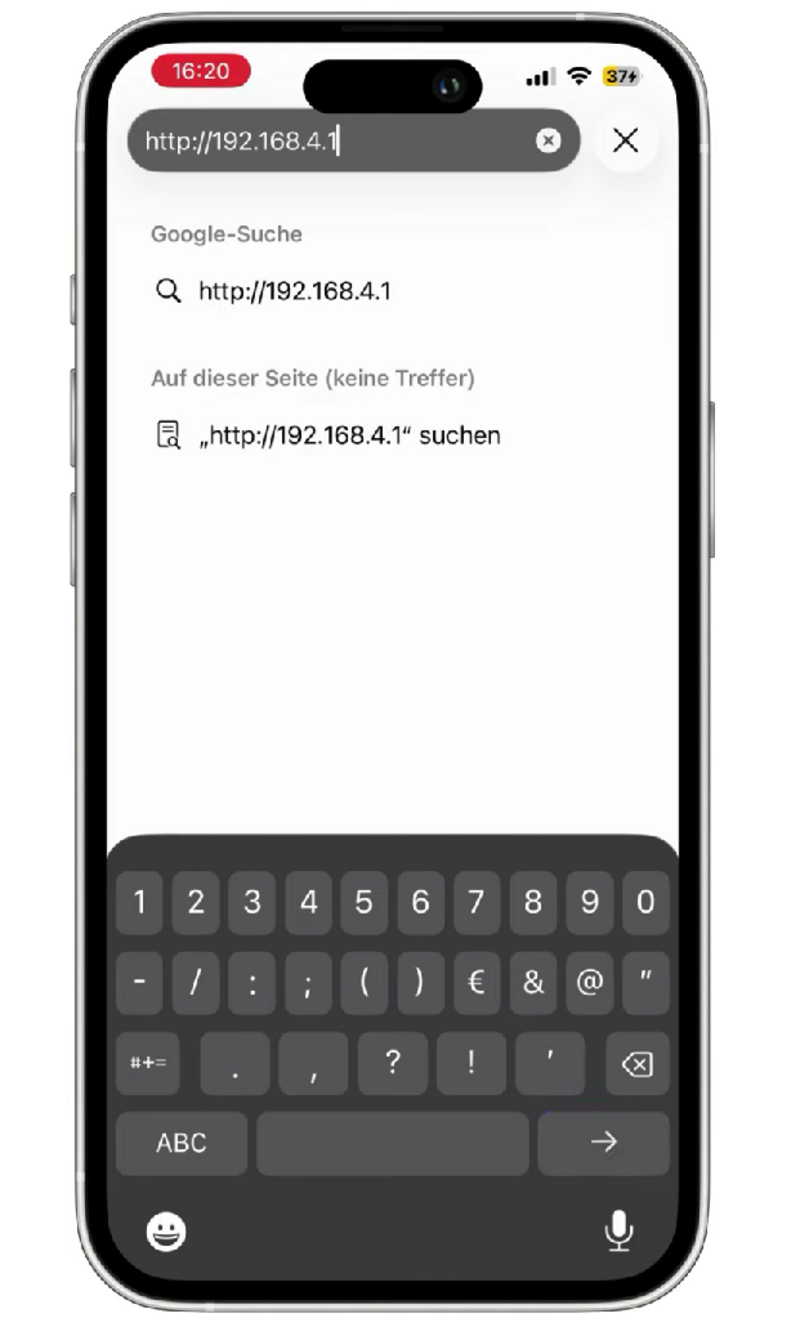
The interface opens automatically or manually at: http://192.168.4.1
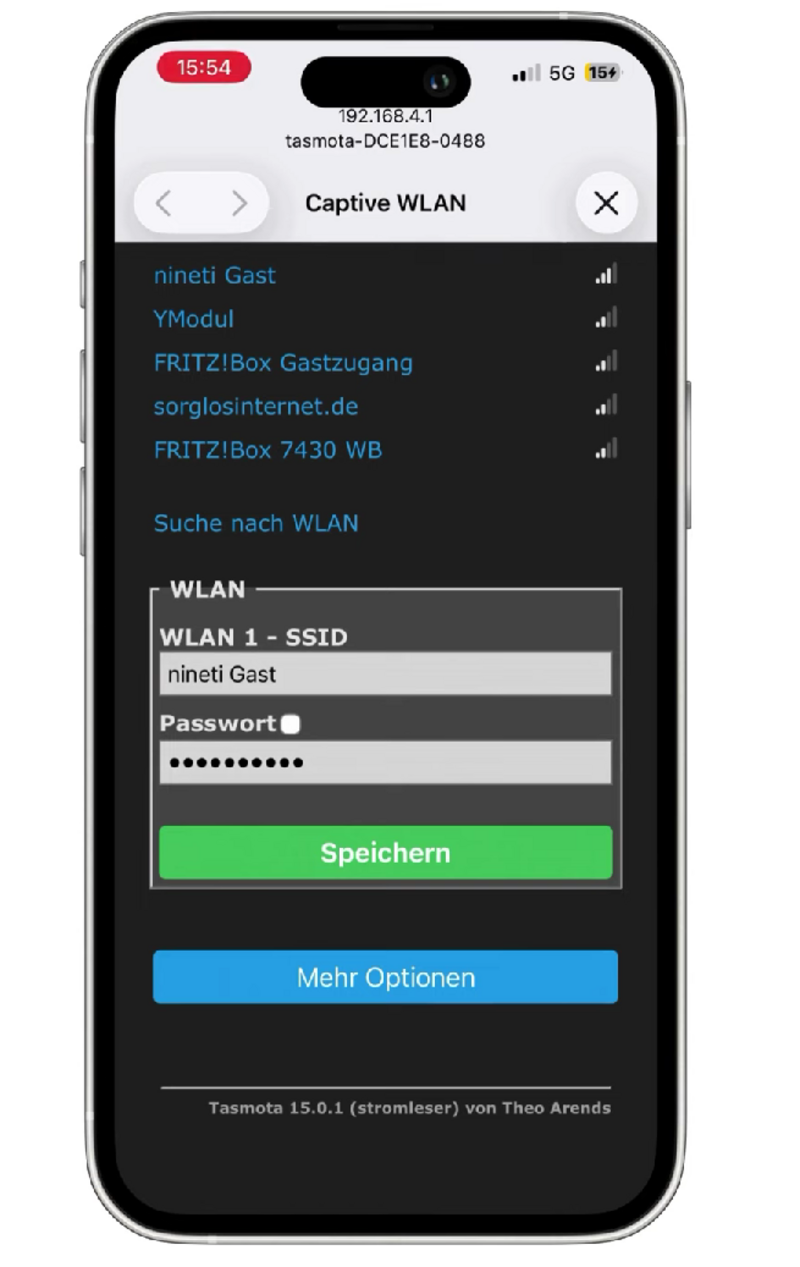
Enter WiFi Credentials
Enter SSID and password.
Click Save. The device restarts and connects to your network.
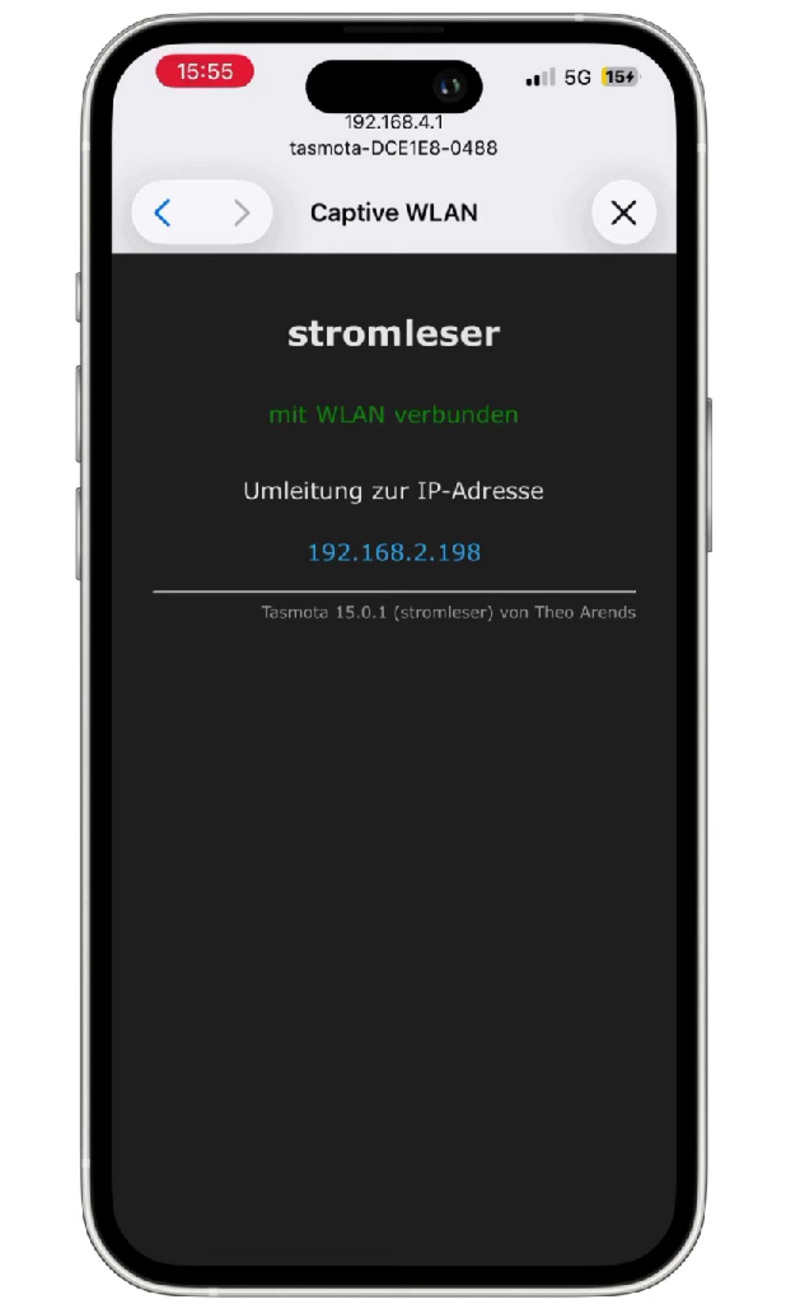
Open IP Address in Browser
Note the IP displayed after restart.
Open it in a browser to access the Tasmota menu.
Next Step
After successful WiFi setup, continue with script installation.